
How to Create an Online Offer
Learn how Merchants can quickly create and launch online offers through the Swoodle Portal for customers to view and redeem in the app.
Support Video
Watch this short video for a visual walkthrough.
-
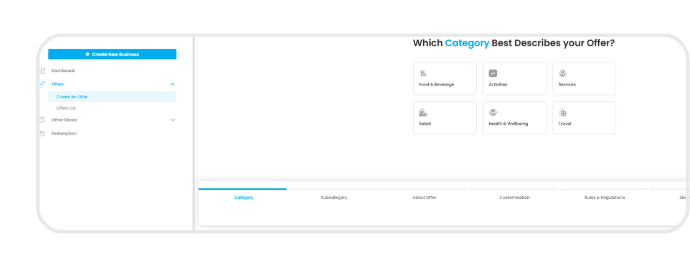
Step 1: Create an offer
In the Swoodle Portal, go to the Offers tab and select ‘Create an Offer.’
-
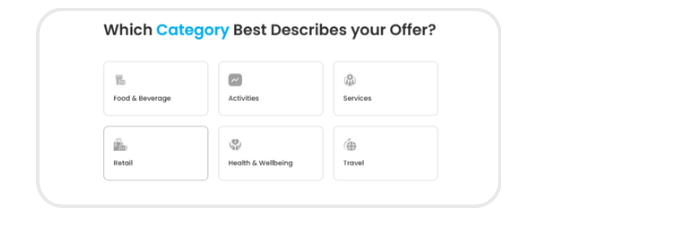
Step 2: Select categories
Choose your main category and relevant subcategories so customers can easily find your offer.
-
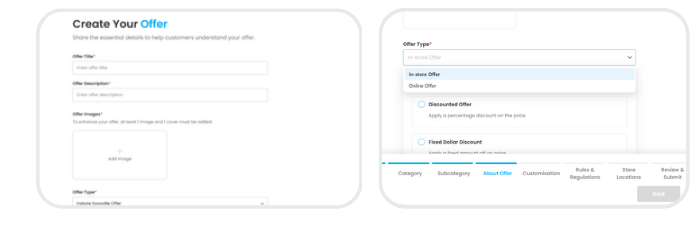
Step 3: Add offer details
Enter your offer title, description, and key details, then select ‘Online Offer’ under Offer Type.
-
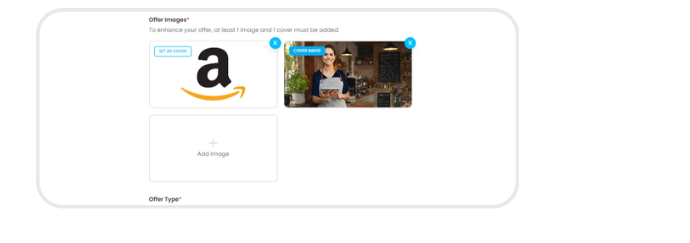
Step 4: Customise your offer
Upload images and personalise your offer’s appearance.
-
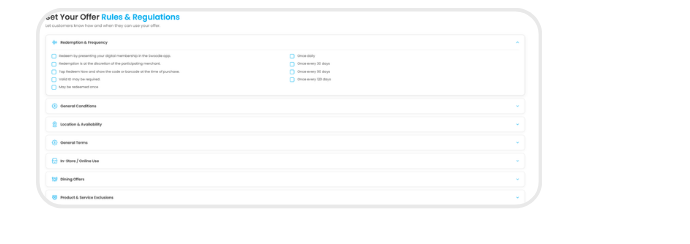
Step 5: Set redemption details
Add terms, redemption rules, and details on how customers can redeem the offer.
-
Step 6: Verify & submit for approval
Review your details, submit your offer for approval, and manage it anytime through your Offers List.