How to Refer a Merchant
Learn how to refer local businesses through the Fundraiser Portal and track their progress using the Referral List.
Support Video
Watch this short video for a visual walkthrough.
-
Step 1: Navigate to refer a merchant
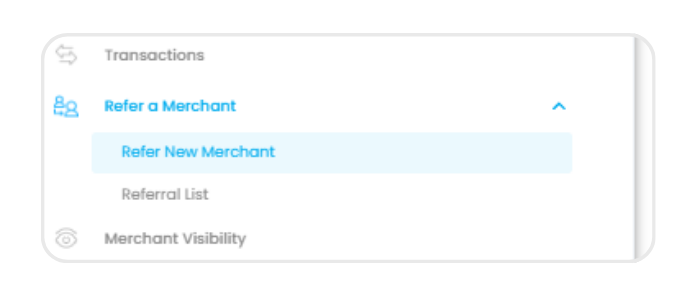
From the left-hand menu, select “Refer a Merchant” to access both the referral email template to send and your referral list.
-
Step 2: Enter merchant details
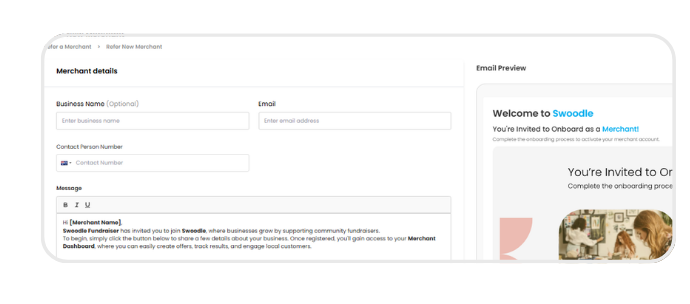
Fill in the business details and contact information for the merchant you are referring.
-
Step 3: Personalise your message
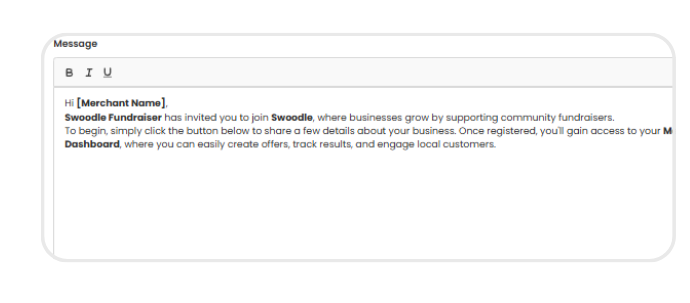
Use the message field to introduce your fundraiser and customise your invitation.
-
Step 4: Send referral
Click “Send Referral” to invite the merchant to join Swoodle and start creating offers linked to your fundraiser.

-
Step 5: Track referral list
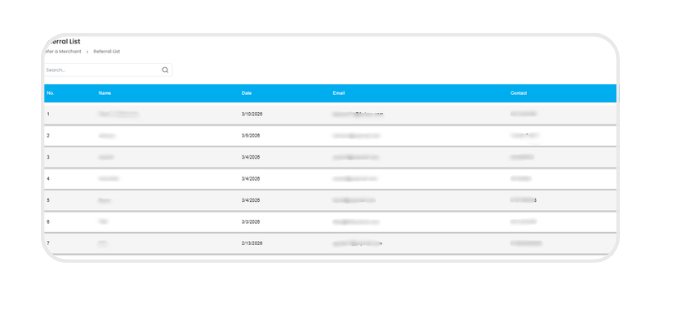
View and manage all referred merchants in the referral list, using search & filters to track their status from invited to live.